

New · Chrome extension
Dealboard, right inside Gmail.
Reply with your email templates in one click, and see the deal or lead behind every email — matched automatically, fully editable, without leaving your inbox.
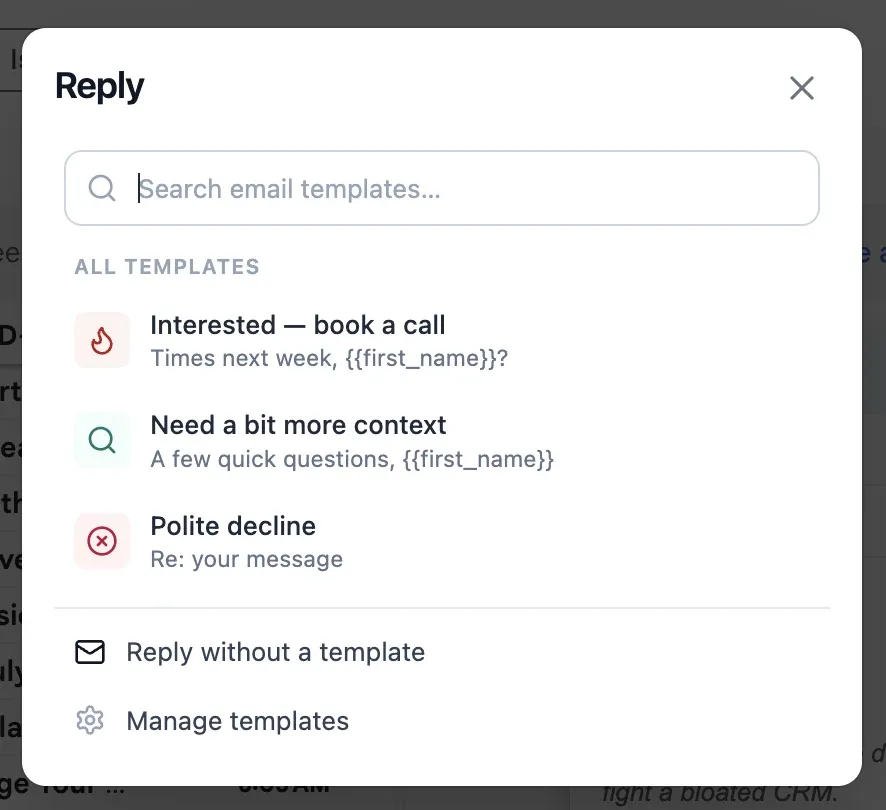
Your templates, one click from any reply.
- A Templates button appears in Gmail's compose toolbar.
- One click opens your Dealboard templates — most-used first, with search.
- Pick one and it drops in with the recipient's name and company already filled.
- Anything we can't fill is marked LOUD (
FIRST_NAME) so a half-merged email never slips out. - Every use is counted, so your best templates float to the top — in Gmail and in Dealboard.

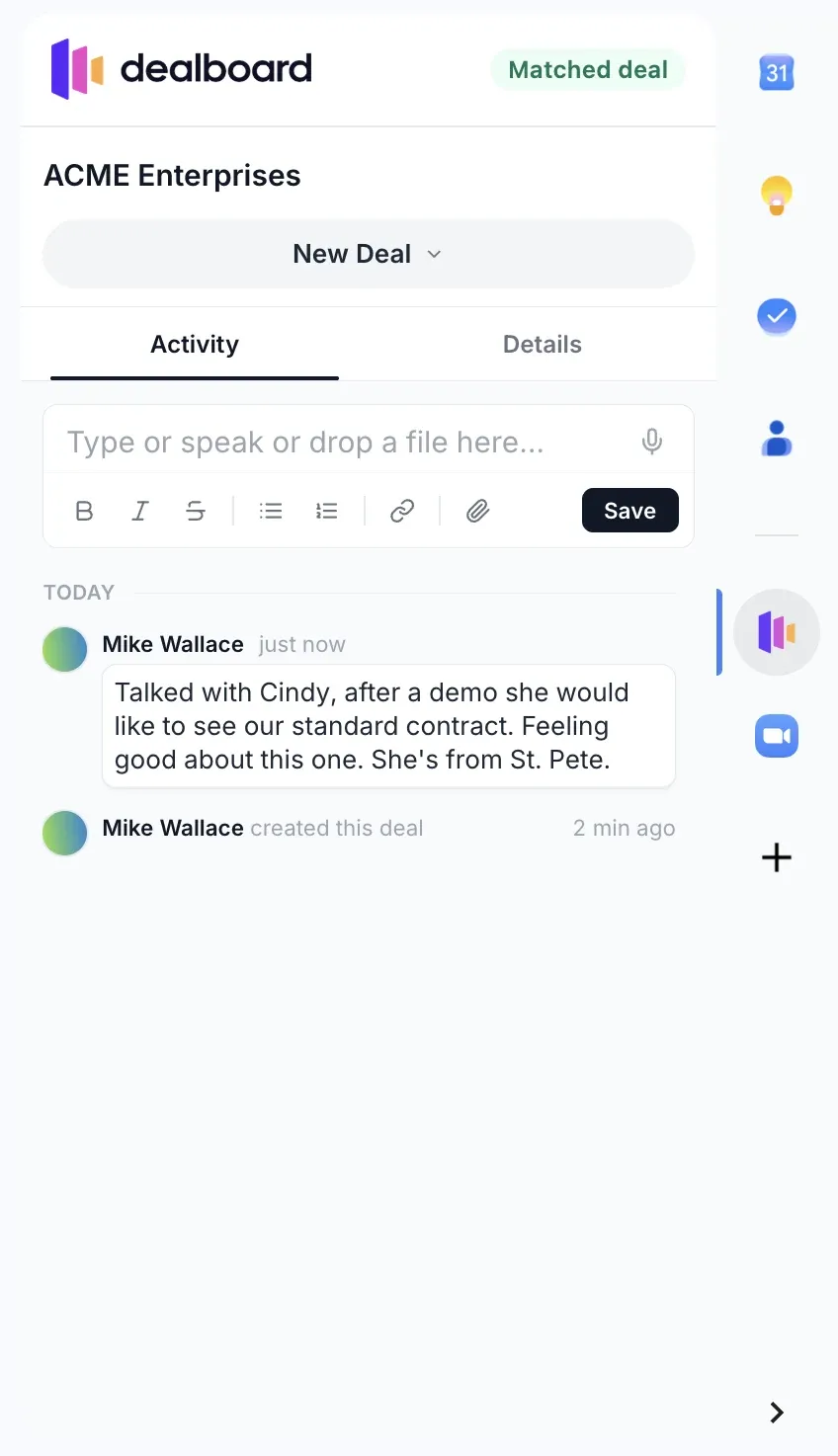
The deal behind every email, in the sidebar.
- Open an email and the sidebar shows the matching deal or lead — by the sender's address, with a company-domain fallback.
- It's the real Dealboard, not a summary: read the activity, edit fields, change the stage, add a note.
- Close a deal from your inbox after a good call. One click opens it fully in Dealboard.
Private by design.
No Google sign-in
The extension never calls Google's APIs and asks for no Google account permissions. It only runs on mail.google.com.
Your key stays on your device
You connect with a Dealboard API key, stored locally in Chrome. It's sent only to Dealboard's own API — it never enters the Gmail page.
A session only Gmail can see
The sidebar signs in with a partitioned session that exists only inside Gmail. Your normal browsing and Dealboard session are untouched.
Install in two minutes.
This is the direct build for power users — the Chrome Web Store listing is on its way.
- 1 Download the extension Grab the zip below and unzip it somewhere it can stay — Chrome loads it from that folder.
- 2 Load it in Chrome Open chrome://extensions, flip on Developer mode (top right), click “Load unpacked”, and pick the unzipped folder.
- 3 Connect your workspace In Dealboard: Settings → API keys → Create key. Click the Dealboard icon in Chrome's toolbar and paste it. Once.
- 4 Open Gmail Hit Reply on any email — the Templates button is in the compose toolbar. Open a thread from a known contact and the deal appears in the sidebar.
Requires a Dealboard account — start free. Questions? support@getdealboard.com